Manual Web Scraper: extract web data to CSV from Chrome
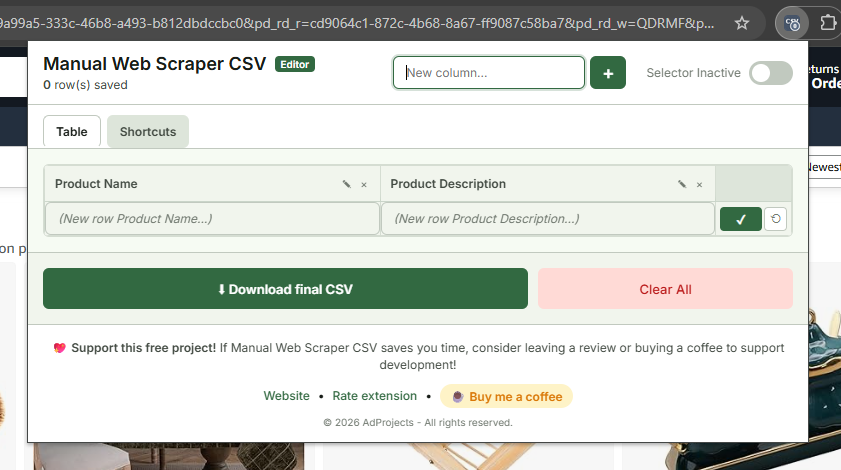
Manual Web Scraper is a Chrome extension I built to make web data extraction easy. You pick elements visually, adjust the table live and download a CSV in one click. It’s free, needs no sign-up and is on the Chrome Web Store.

Manual Web Scraper started from a very concrete problem during my own prospecting: building contact lists meant hundreds of copy-paste operations across agency, e-commerce and service websites. It wasn’t hard, just a huge waste of time. So I built a Chrome web scraping extension to do it in a click.
The need
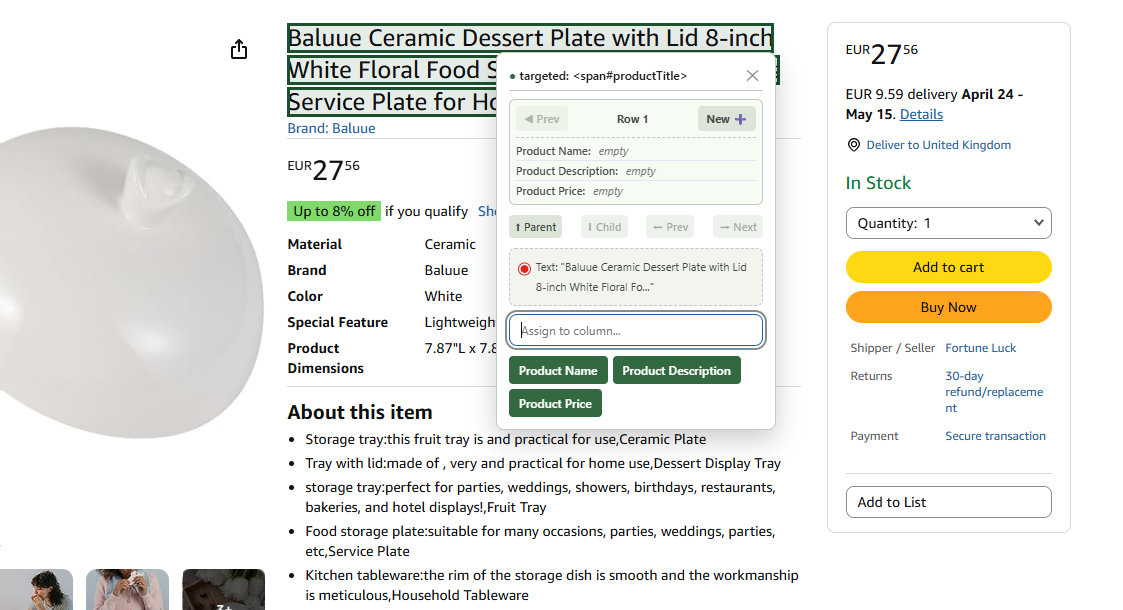
I wanted something simple: click an email and add it to an “email” column, click a URL and add it to a “URL” column, then export the whole thing to CSV, without writing code or paying for a heavy scraping suite.
The solution
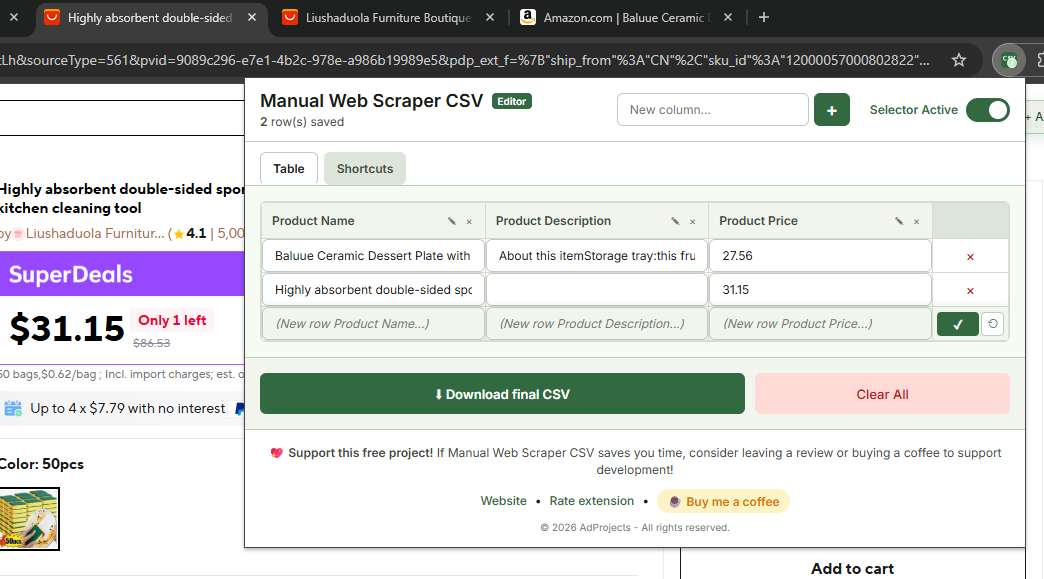
The extension lets you select page elements visually and maps them to columns. The table updates live as you go, and a single click exports a clean CSV.
Key features
- Visual, point-and-click element selection
- Live table you can adjust before exporting
- One-click CSV download
- Free, no account required
Results
What took hours of manual copy-paste now takes minutes. The tool is published on the Chrome Web Store and used beyond my own projects.
Need a custom browser extension? See my custom development services.